SecureLab puts your security drawings on your phone. Map every detector, camera and door, wire each one back to its panel, NVR or controller, and hand the client the schedules they need, without a spreadsheet in sight.
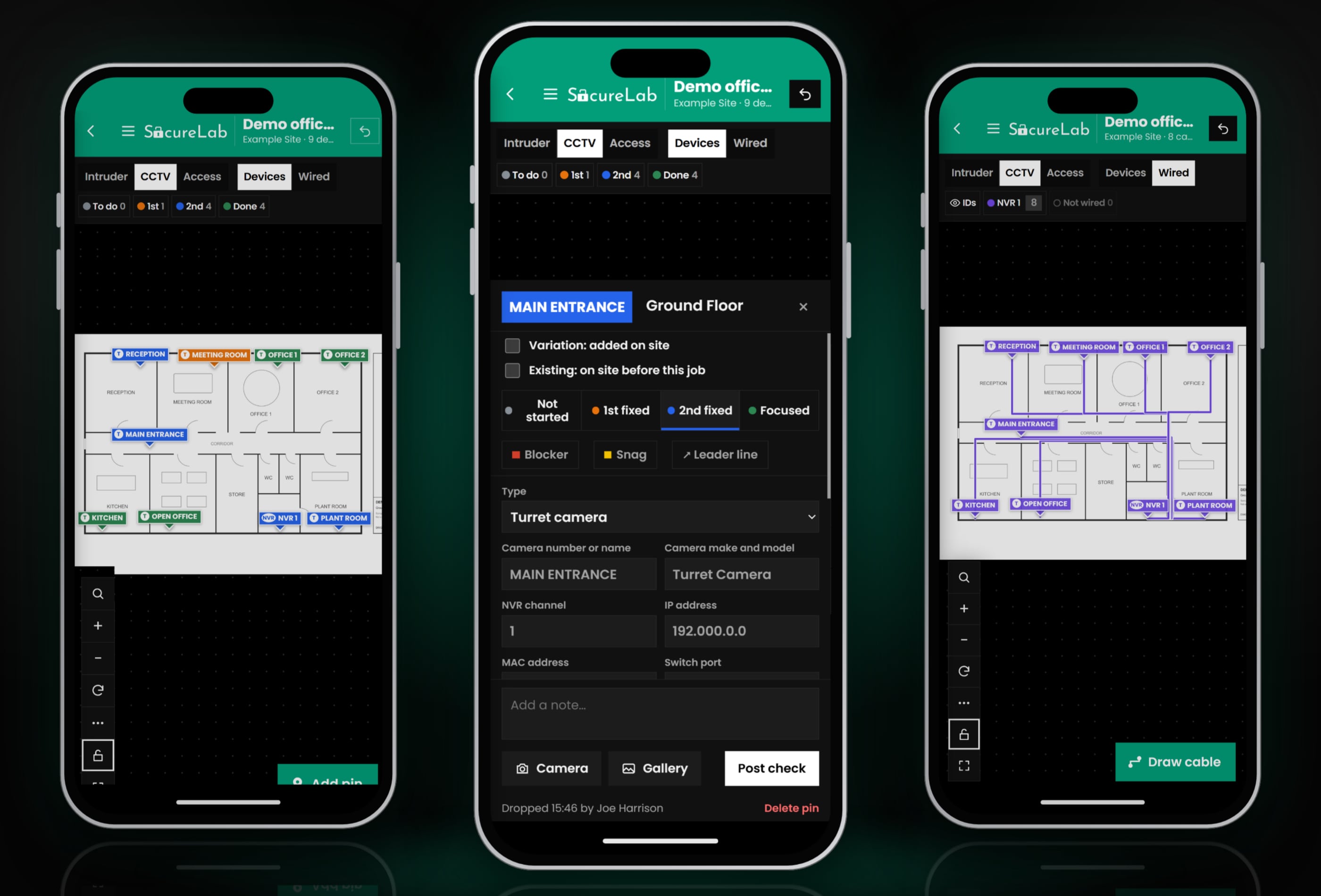
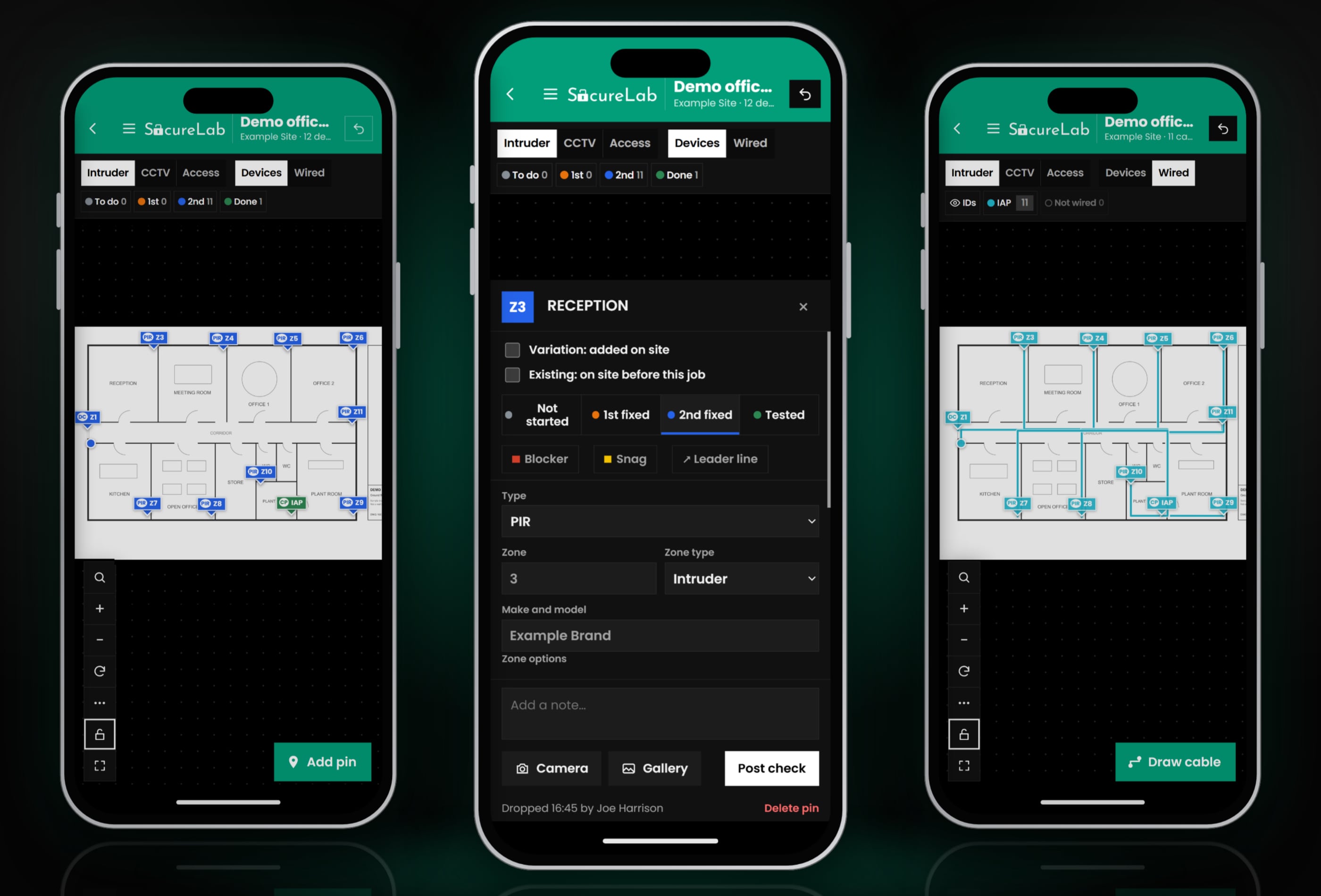
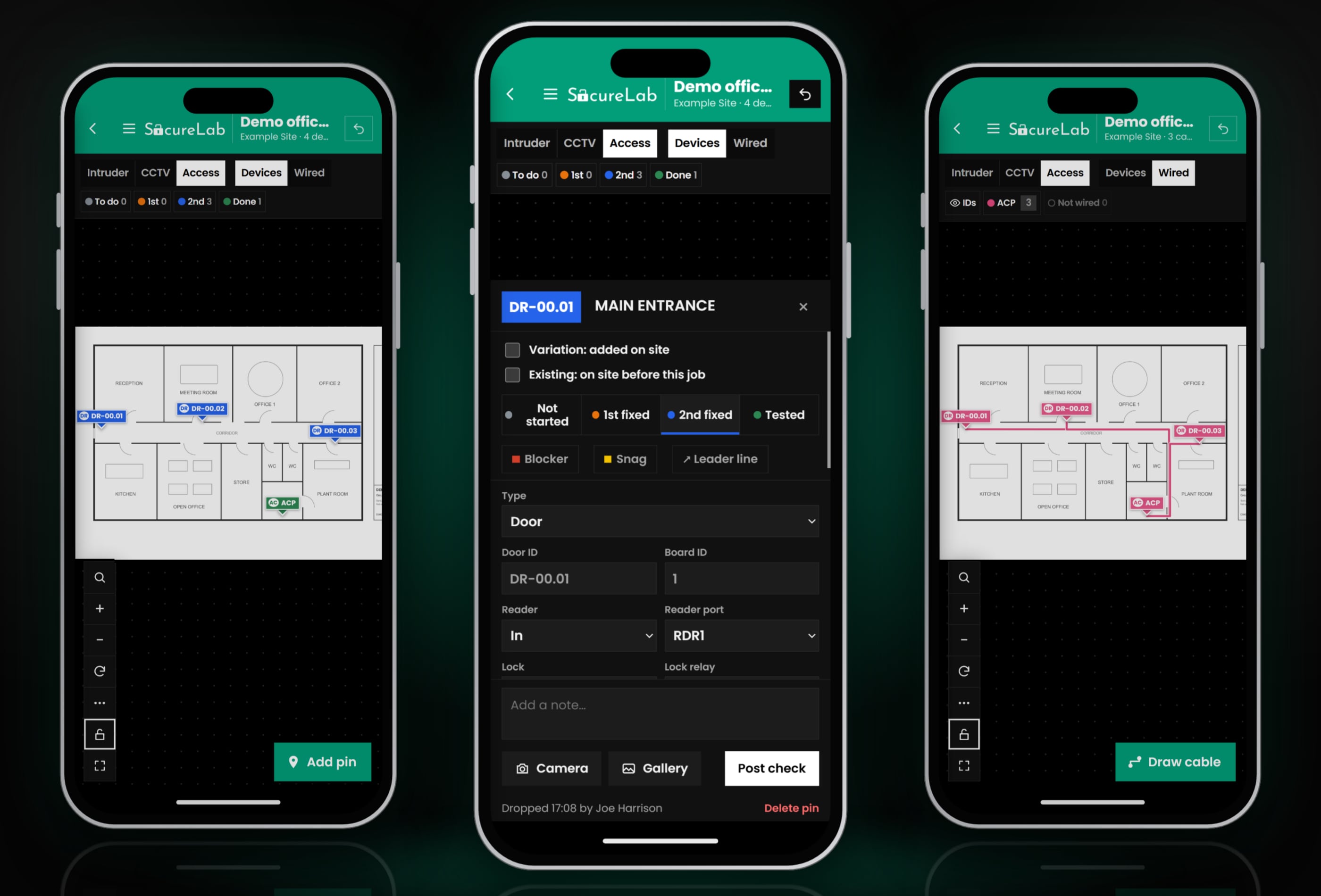
A switch on the drawing shows one system at a time, so a busy plan stays readable. Each system has its own devices, details and stages.
Detectors, contacts, PA buttons, keypads and sounders, with the zone number, zone type, chime, omit and double knock, and part-set areas. Each new device takes the next zone.
Domes, bullets, turrets, PTZ and ANPR cameras, with the camera name, NVR channel, IP and MAC address, switch port and GOP box. Marked Focused when it’s done.
Doors, gates and turnstiles, with the reader, lock, exit button, break-glass, door contact and door number on the controller.
Put the head-end equipment on the drawing too: intruder panels and expanders, NVRs and switches, controllers and power supplies.
Draw each device’s cable route back to its head-end. “Wired to” fills itself in and each head-end gets its own colour.
See at a glance which devices aren’t wired yet, with lengths from the drawing scale and a warning on camera runs over 90 m.
Every camera with its type, location, NVR and channel, IP and MAC address, switch port, GOP box, cable length and focus date.
Every zone with its device, location, zone type, options, part-set areas, panel and test date.
Every door with its controller, door number, reader, lock, exit button, break-glass, door contact and test date.
One PDF per system or for all three: system description, as-fitted drawings, schedules, test records, completion photos and a certificate register, with your data sheets and manuals at the back.
SecureLab never stores codes or passwords. The pack has a sign-off sheet for who received them, handed over in person.
What was fixed, focused and tested, per system, for valuations and invoicing.
SecureLab and LoopLab share your company, team and drawings. Pick one when you sign up and add the other for half your plan’s price.
Upload a drawing and start mapping in minutes. Every plan includes one trade app, so SecureLab costs nothing extra.